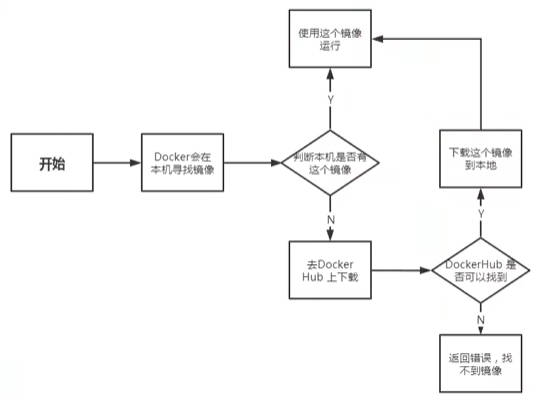
Docker 概述
Note
问题: 开发的成果需要在其他机器上部署,配置运行环境很恶心
Docker 对上述问题给出了解决方案:发成成果时,直接带上环境。
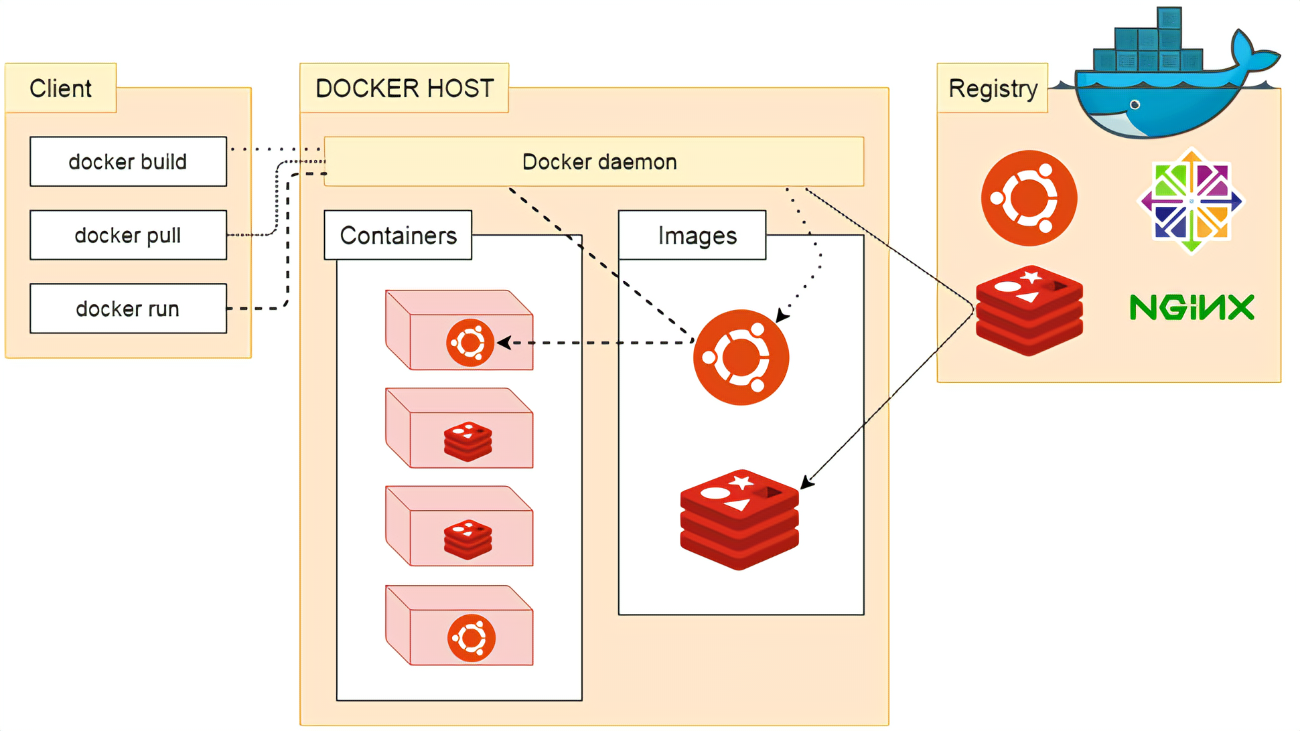
- 守护进程: Docker 为
Server-Client模式,守护进程就是 Docker 的Server,用于管理容器运行、管理镜像包等。 - 镜像: Docker 打包成果和运行环境(操作系统 + 依赖库)得到的安装包
- 容器: 所有镜像都运行都在自己的容器内,相互隔离,互不影响。但是容器不是一个操作系统虚拟机,而是主机上一个模拟操作系统的进程。
- 仓库: 存储镜像包的应用市场,官方仓库 Docker Hub
安装
下载
根据 官方文档 文档可以快速进行下载安装。
Note
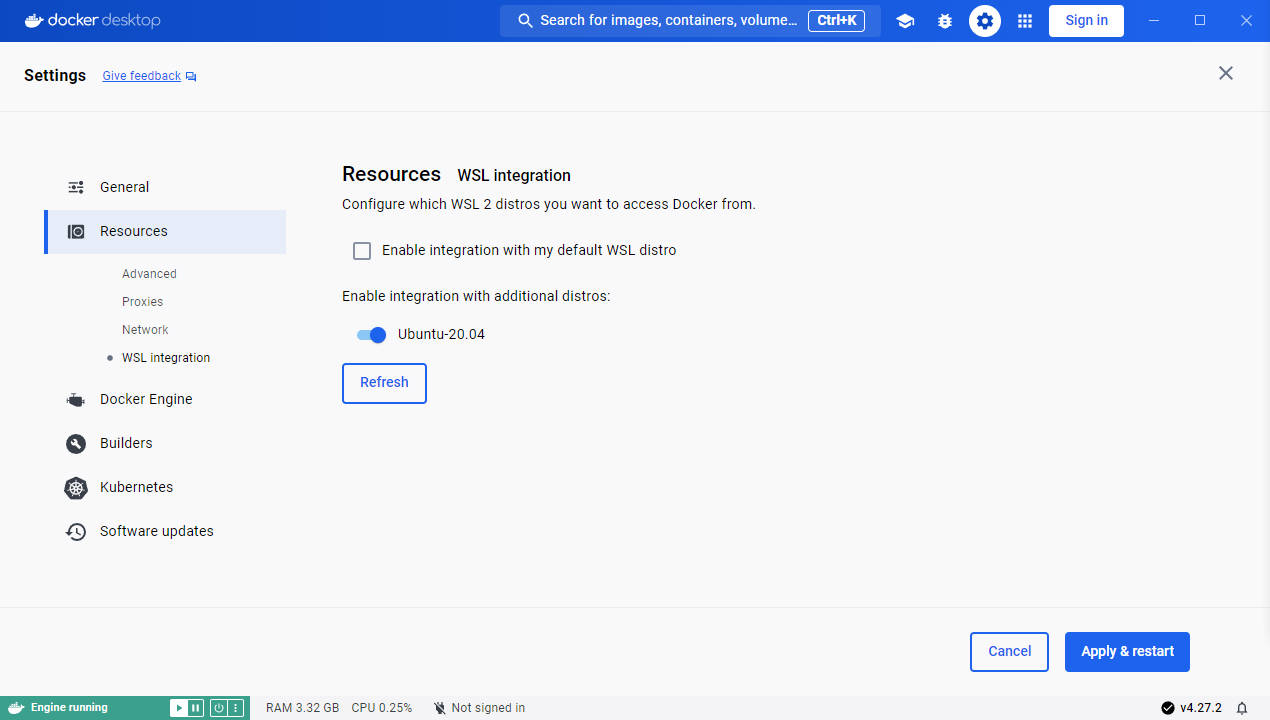
WSL2
在安装好「内核」后,推荐安装 Docker Desktop on Windows
。在 WSL2 中能直接使用 windows 版的 Docker
Terminal
$docker version
Client:
Cloud integration: v1.0.35+desktop.10
Version: 25.0.3
API version: 1.44
Go version: go1.21.6
Git commit: 4debf41
Built: Tue Feb 6 21:13:00 2024
OS/Arch: linux/amd64
Context: default
Server: Docker Desktop
Engine:
Version: 25.0.3
API version: 1.44 (minimum version 1.24)
Go version: go1.21.6
Git commit: f417435
Built: Tue Feb 6 21:14:25 2024
OS/Arch: linux/amd64
Experimental: false
containerd:
Version: 1.6.28
GitCommit: ae07eda36dd25f8a1b98dfbf587313b99c0190bb
runc:
Version: 1.1.12
GitCommit: v1.1.12-0-g51d5e94
docker-init:
Version: 0.19.0
GitCommit: de40ad0
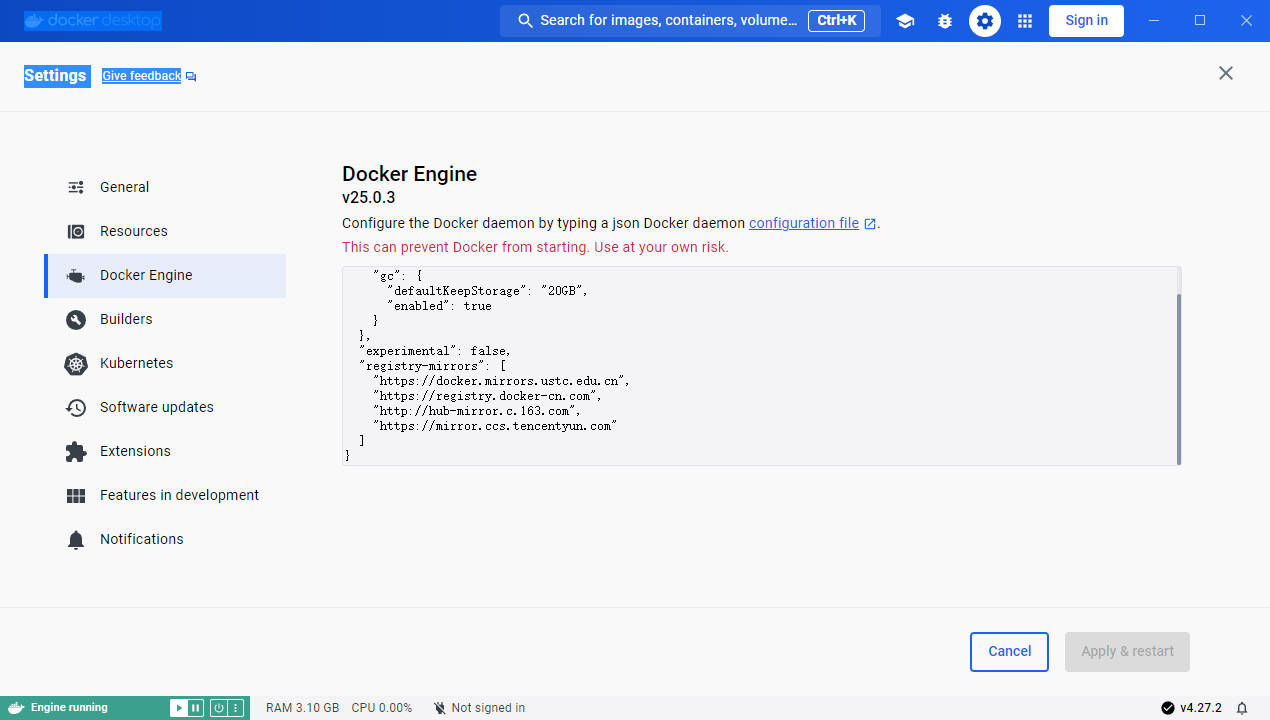
换源
修改配置文件即可
{
	"registry-mirrors": [
        "https://docker.mirrors.sjtug.sjtu.edu.cn"
    ]
}
{
"registry-mirrors": [
"https://docker.mirrors.sjtug.sjtu.edu.cn"
]
}
Note
采用 WSL2 方案,国内仓库镜像地址只能配置一个,否侧无法下载镜像。
- Windows
- Linux
Terminal
$sudo vim /etc/docker/daemon.json
- 查看源
Terminal
$docker info
...
Insecure Registries:
hubproxy.docker.internal:5555
127.0.0.0/8
Registry Mirrors:
https://docker.mirrors.sjtug.sjtu.edu.cn
Live Restore Enabled: false
...
运行
Terminal
$sudo systemctl start docker# wsl2 配置好就已经启动,不用执行
$docker run hello-world
Unable to find image 'hello-world:latest' locally # 会从镜像仓库下载
latest: Pulling from library/hello-world
c1ec31eb5944: Pull complete
Digest: sha256:d000bc569937abbe195e20322a0bde6b2922d805332fd6d8a68b19f524b7d21d
Status: Downloaded newer image for hello-world:latest
Hello from Docker! # 运行成功
This message shows that your installation appears to be working correctly.
...
$docker images# 查看镜像
REPOSITORY TAG IMAGE ID CREATED SIZE
hello-world latest d2c94e258dcb 10 months ago 13.3kB