
概述
管理系统
Admin 后台系统 : 即网站后台管理系统,主要对网站的信息进行管理,如文字、图片、影音和其他日常使用的文件的发布、更新、删除等操作,也包括功能信息的统计和管理,如用户信息、订单信息和访客信息等。简单来说,它是对网站数据库和文件进行快速操作和管理的系统,以使网页内容能够及时得到更新和调整。
在 Django 中,自带了一个后台应用,且支持二次开发。
INSTALLED_APPS = [
    'django.contrib.admin',             # 后台管理系统
    'django.contrib.auth',
    'django.contrib.contenttypes',
    'django.contrib.sessions',
    'django.contrib.messages',
    'django.contrib.staticfiles',
]通过 http://127.0.0.1:8000/admin 便能访问
urlpatterns = [
    path('admin/', admin.site.urls),
]
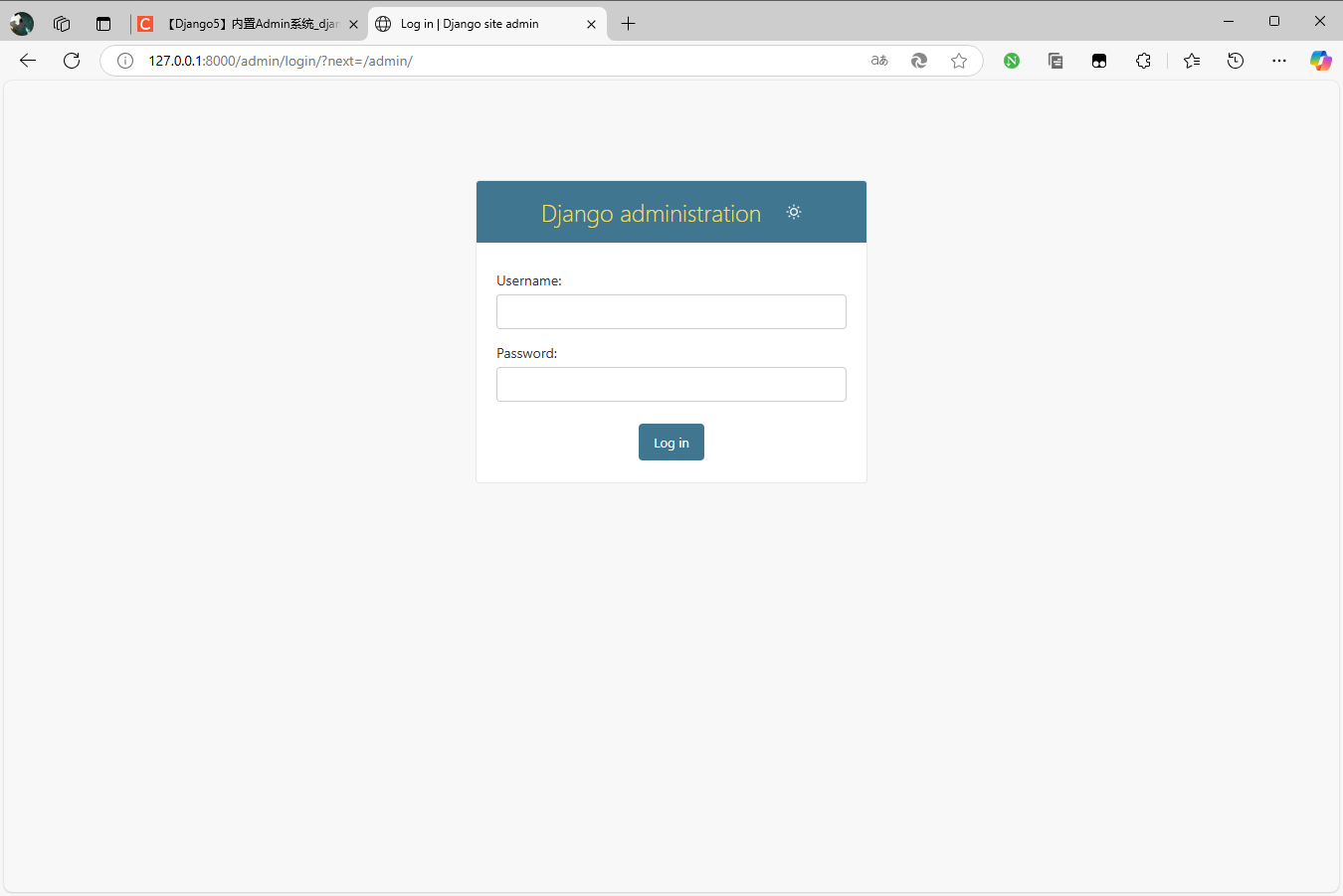
默认界面为英文,可通过修改 MIDDLEWARE 配置中文中间件
MIDDLEWARE = [
    'django.middleware.security.SecurityMiddleware',
    'django.middleware.locale.LocaleMiddleware',            # 中文中间件,顺序最好放第二个
    'django.contrib.sessions.middleware.SessionMiddleware',
    'django.middleware.common.CommonMiddleware',
    'django.middleware.csrf.CsrfViewMiddleware',
    'django.contrib.auth.middleware.AuthenticationMiddleware',
    'django.contrib.messages.middleware.MessageMiddleware',
    'django.middleware.clickjacking.XFrameOptionsMiddleware',
]账号管理
管理员
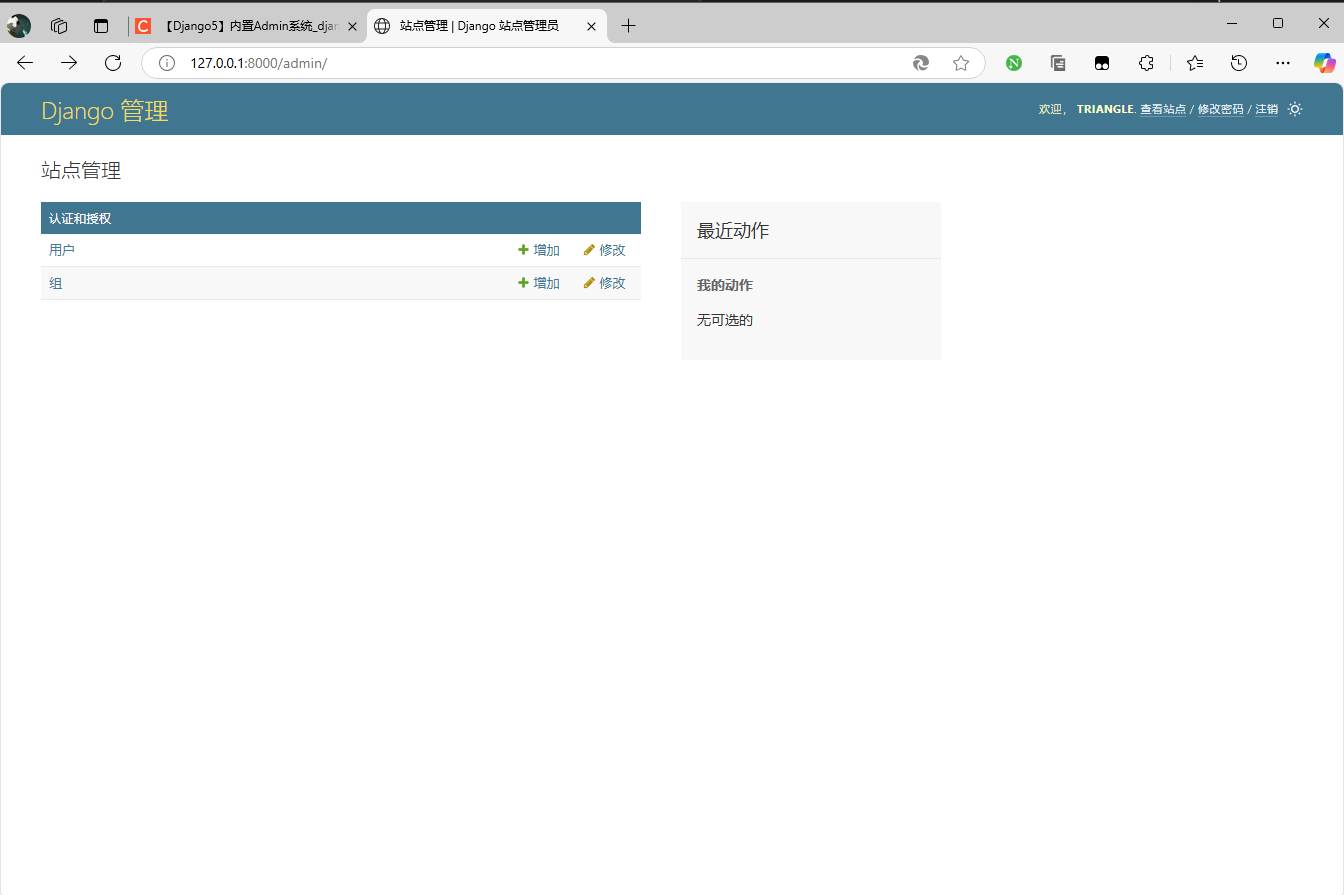
Admin 后台管理系统为实现账号权限管理,执行 migrate 后,会在数据库中自动生成用于账号管理的表单。所有表默认都是是空的,因此需要需要执行 createsuperuser 创建一个管理员账号。
Tip
初始状态下,Admin 系统默认就只有一个账号管理功能,其他管理功能可以二次开发。
普通用户
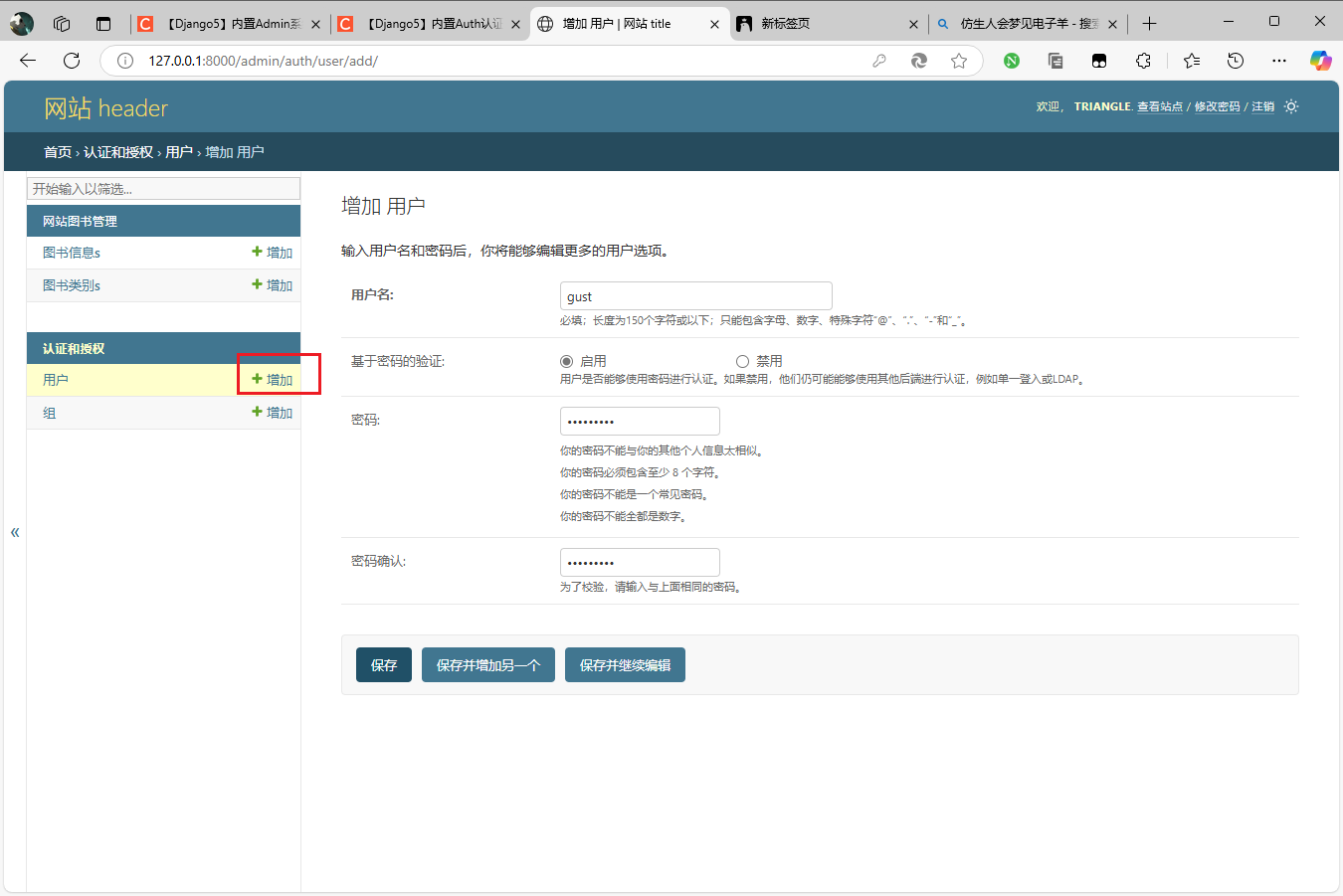
- 新建用户账号
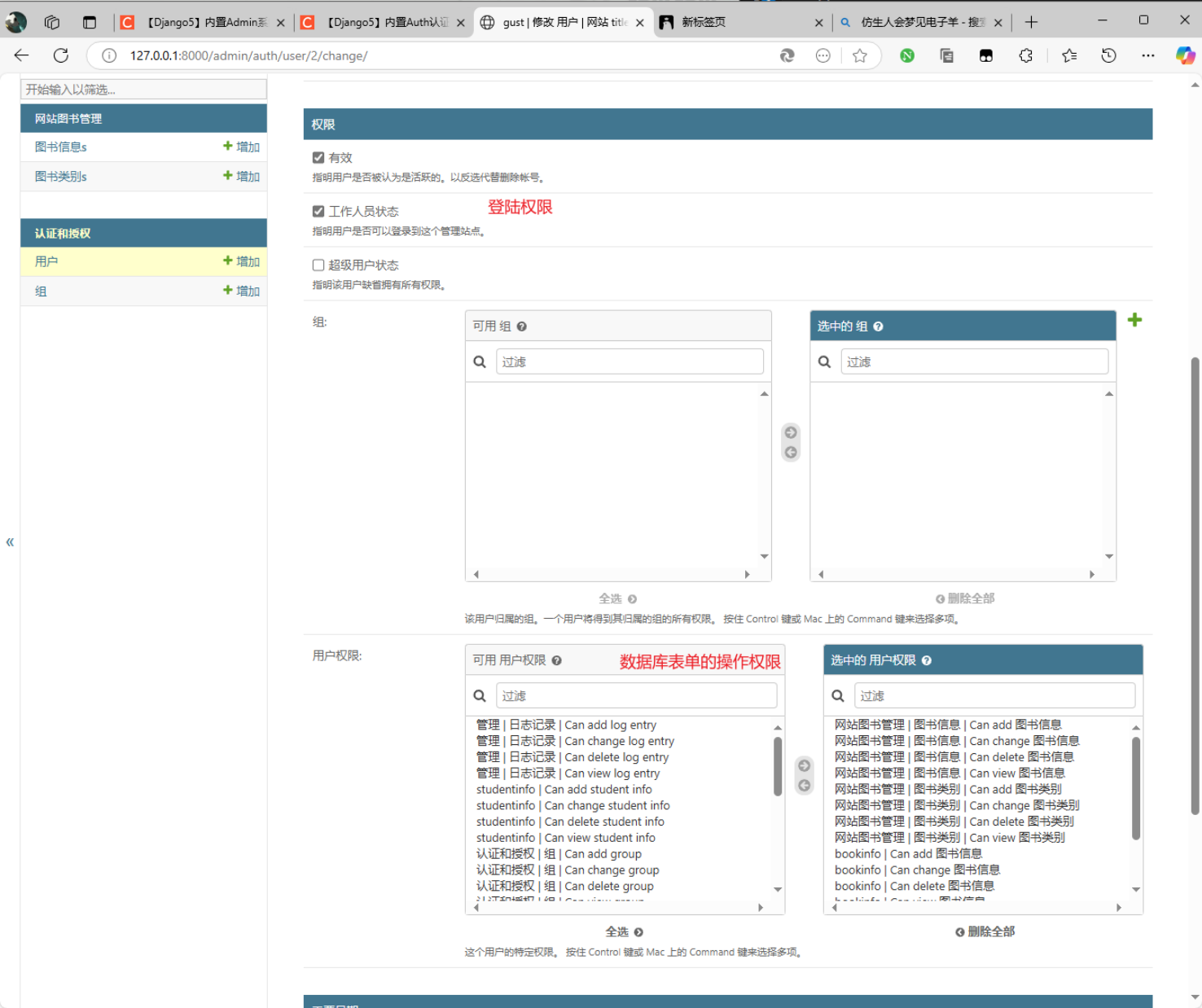
- 添加权限
- 登陆
gust账号
模型注册
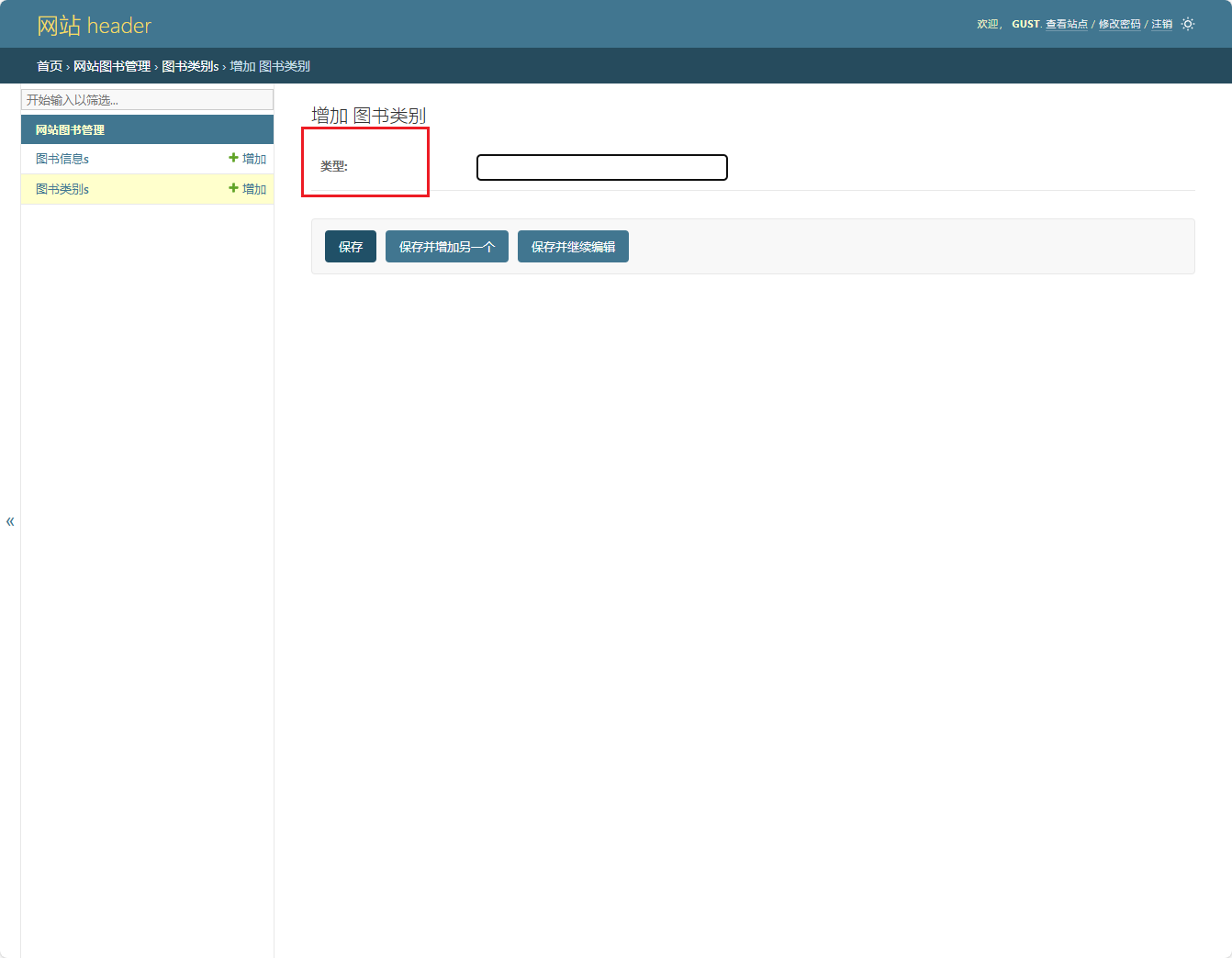
模型注册 :在实际业务开发过程中,会定义很多的业务模型,可以把模型直接注册到 Admin 系统中,通过 Admin 系统便捷得维护这些模型。即在 Admin 后台实现模型增、删、改、查功能。
模型
from django.db import models

class BookTypeInfo(models.Model):
    id = models.AutoField(primary_key=True)

    # NOTE - 可以通过定义 verbase_name 指定 Admin 界面上的字段展示名
    bookTypeName = models.CharField(max_length=20, verbase_name= '类型')
    class Meta:
        db_table = "t_bookType"
        verbose_name = "图书类别"

    def __str__(self):
        return self.bookTypeName

class BookInfo(models.Model):
    id = models.AutoField(primary_key=True)
    bookName = models.CharField(max_length=20)
    price = models.FloatField()
    publishDate = models.DateField()
    bookType = models.ForeignKey(to=BookTypeInfo, on_delete=models.PROTECT)

    class Meta:
        db_table = "t_book"
        verbose_name = "图书信息"
简单注册
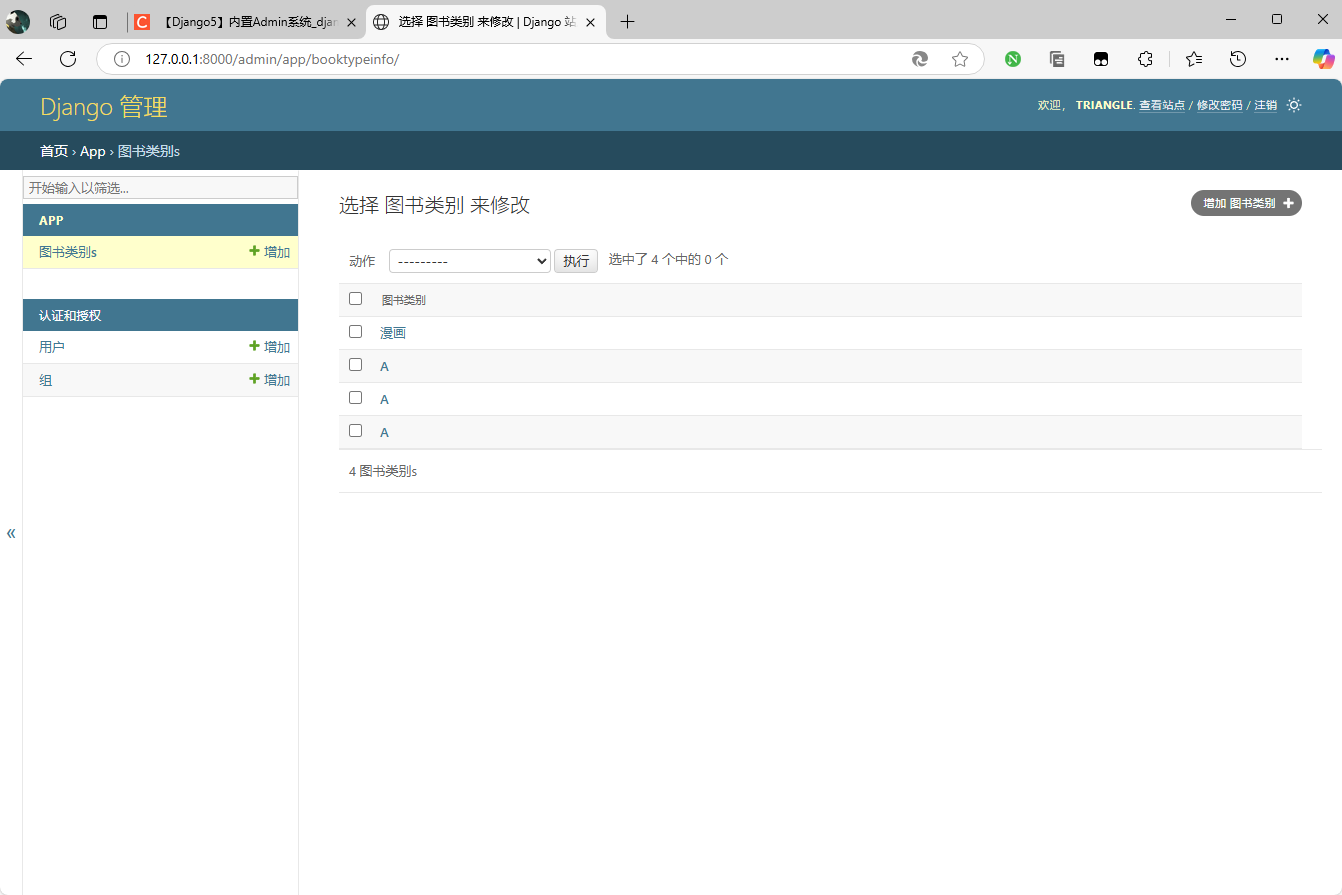
修改 admin.py
from django.contrib import admin

from .models import BookTypeInfo

# Register your models here.

# 将模型直接注册到admin后台
admin.site.register(BookTypeInfo)
自定义注册
注册定义
在 admin.py 中自定义 ModelAdmin
@admin.register(BookInfo)
class BookInfoAdmin(admin.ModelAdmin):
    """
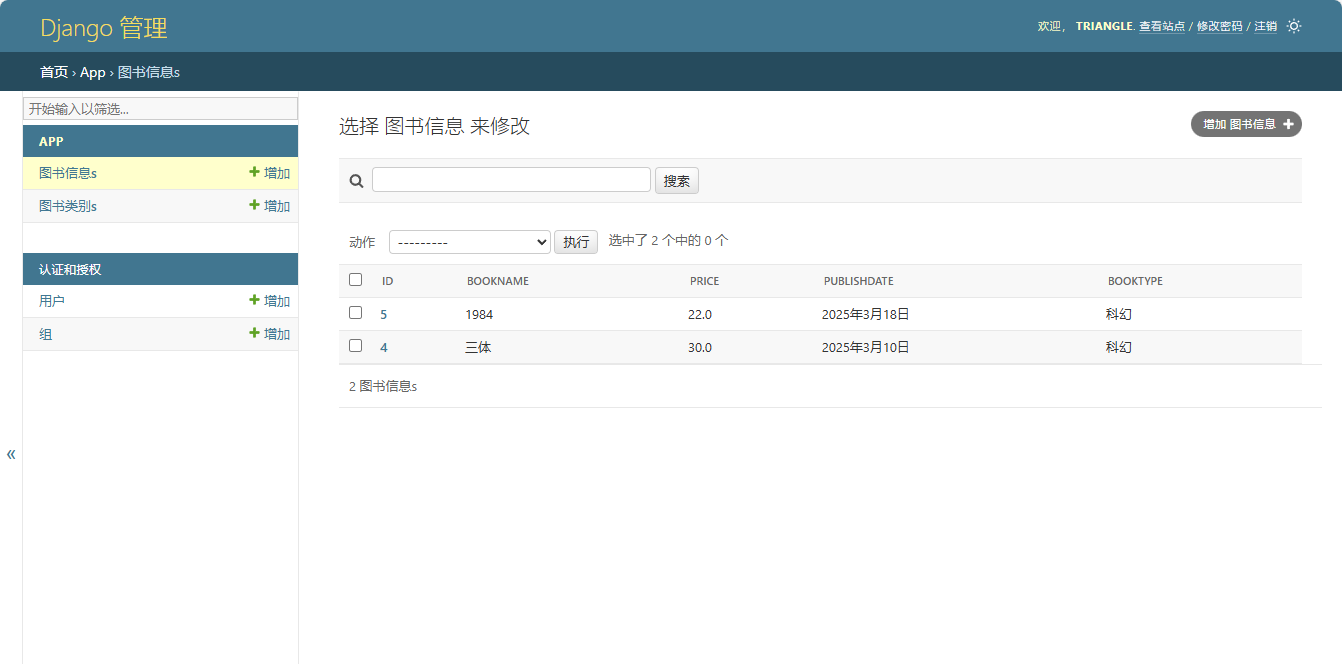
    可以对模型的增删改查操作做精细化的配置,包括显示字段,分页,可编辑字段,查询字段,排序等。
    """
    # 设置显示字段
    list_display = ['id', 'bookName', 'price', 'publishDate', 'bookType']
    # 设置可查询字段
    search_fields = ['bookName']
权限控制
在 admin.py 中修改 BookInfoAdmin
@admin.register(BookInfo)
class BookInfoAdmin(admin.ModelAdmin):
    """
    可以对模型的增删改查操作做精细化的配置,包括显示字段,分页,可编辑字段,查询字段,排序等。
    """
    # 设置显示字段
    list_display = ['id', 'bookName', 'price', 'publishDate', 'bookType']
    # 设置可查询字段
    search_fields = ['bookName']

    # NOTE - 根据账号权限设置只读字段
    def get_readonly_fields(self, request, obj=None):
        if request.user.is_superuser:
            return []
        else:
return [ 'price', 'bookType']重命名
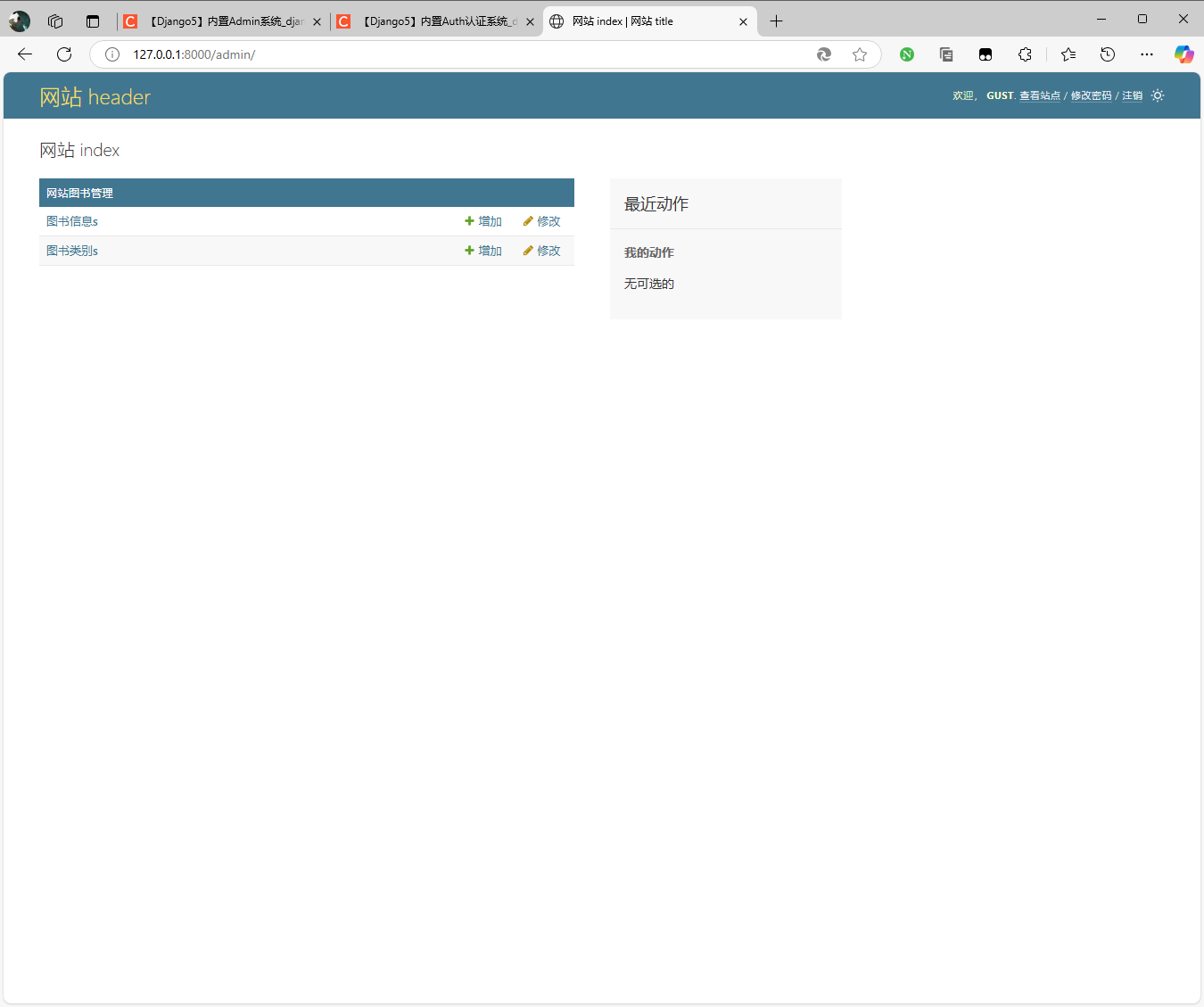
网站名
在 admin.py 中设置
from django.contrib import admin

admin.site.site_header = '网站 header'
admin.site.site_title = '网站 title'
admin.site.index_title = '网站 index'
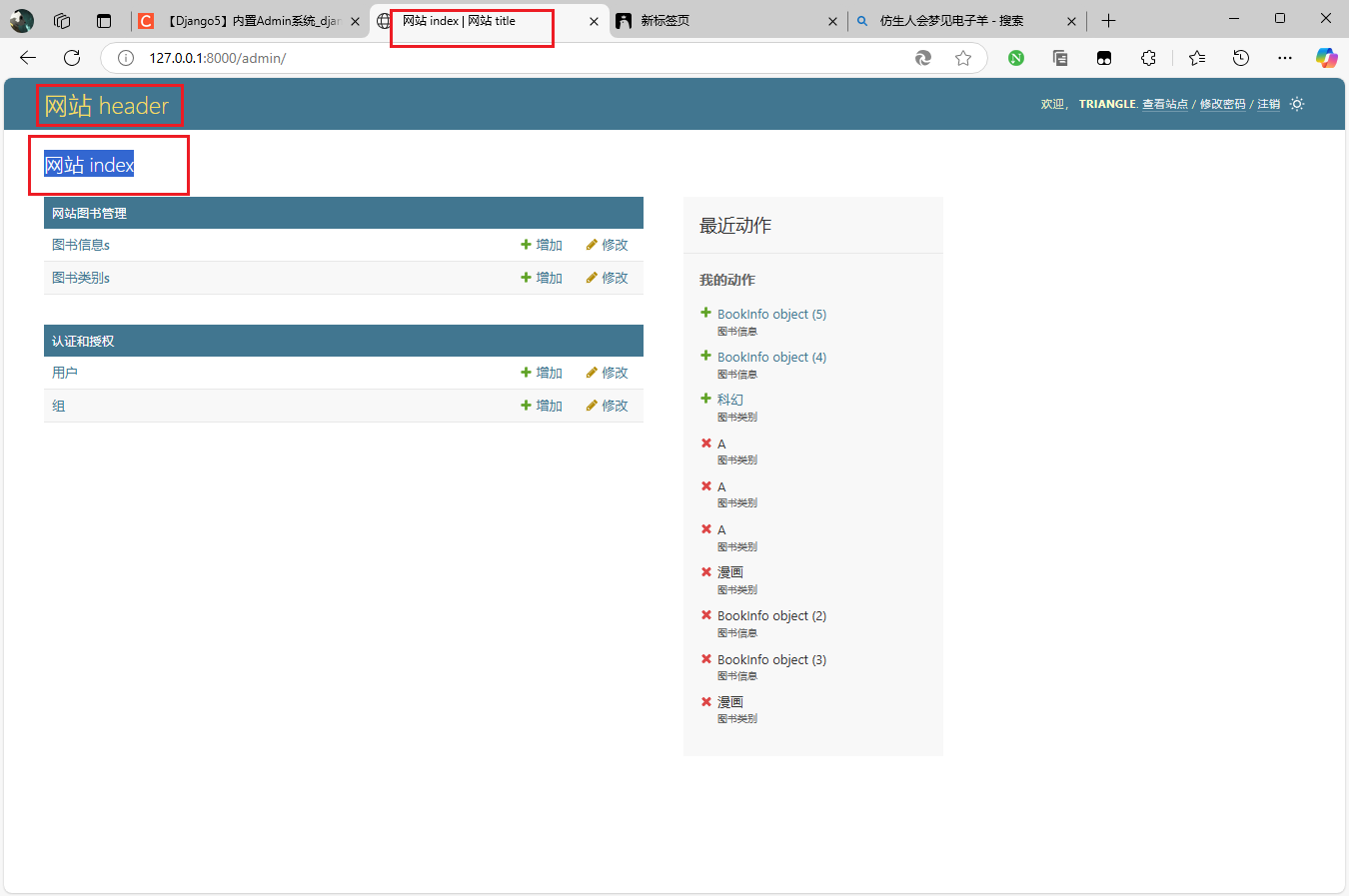
应用名
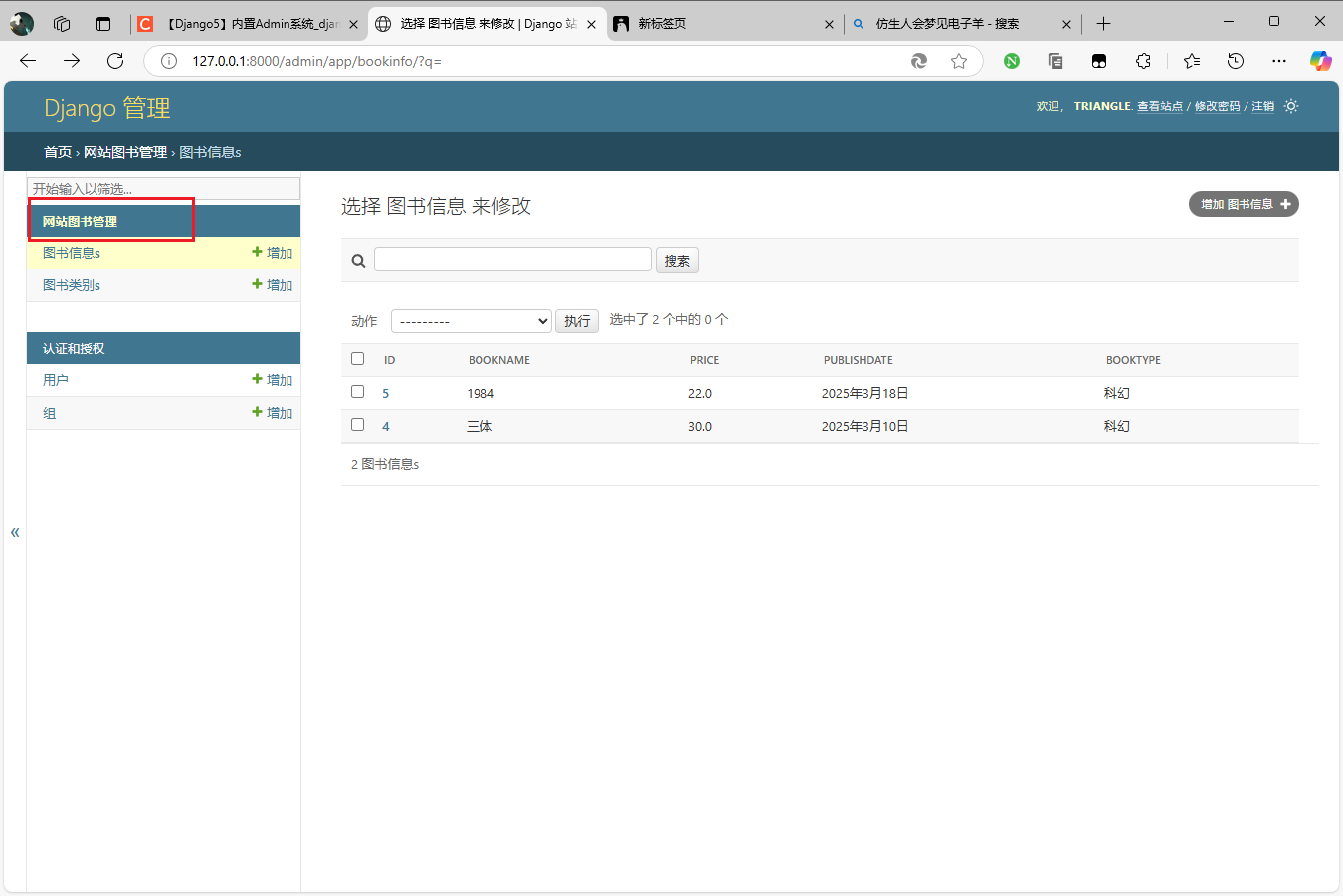
修改 apps.py 中的设置
from django.apps import AppConfig

class AppConfig(AppConfig):
    default_auto_field = 'django.db.models.BigAutoField'
    name = 'app'
    # admin 展示名
verbose_name = '网站图书管理'模板定制
- 查找 Django 包的安装位置
-
找到 Admin 中要修改的模板,其路径
django/contrib/admin/templates/admin/xxx/xxx.html -
将需要二次定制的模板文件拷贝到当前项目的
templates/admin/xxx/xxx.html文件夹下进行二次定制,不要修改admin/xxx/xxx.html模板路径名,这样项目的模板优先级高于 Django 包中的模板,可被优先加载,从而实现替换。
权限系统
表单
由于 Django 已经建好了所有权限相关的表,因此,可以直接调用模型进行使用
# 相关模型都在该路径下
import django.contrib.auth.models用户注册
-
用户注册需要一个注册界面和用户数据提交到数据库的路由接口
PYTHON# 注册界面 path('auth/toRegister/', app.views.toRegister), # 提交信息到数据库 path('auth/register', app.views.register)# 注册界面 path('auth/toRegister/', app.views.toRegister), # 提交信息到数据库 path('auth/register', app.views.register) -
路由操作定义
PYTHONfrom django.contrib.auth.models import User def toRegister(request): """ 注册跳转页面 """ return render(request, 'auth/register.html') def register(request): """ 注册页面 """ username = request.POST.get('username') password = request.POST.get('password') # 存在性校验 result = User.objects.filter(username=username) if result: return render(request, 'auth/register.html', { 'error_info': '用户名已存在', 'username': username, # 让界面继续展示原来的账号密码 'password': password }) # 在 auth_user 中添加账号 User.objects.create_user(username=usernamedvxxzxd, password=password) return HttpResponse('注册成功')from django.contrib.auth.models import User def toRegister(request): """ 注册跳转页面 """ return render(request, 'auth/register.html') def register(request): """ 注册页面 """ username = request.POST.get('username') password = request.POST.get('password') # 存在性校验 result = User.objects.filter(username=username) if result: return render(request, 'auth/register.html', { 'error_info': '用户名已存在', 'username': username, # 让界面继续展示原来的账号密码 'password': password }) # 在 auth_user 中添加账号 User.objects.create_user(username=usernamedvxxzxd, password=password) return HttpResponse('注册成功') -
注册界面模板
auth/register.htmlHTML<!DOCTYPE html> <html lang="en"> <head> <meta charset="UTF-8"> <title>注册页面</title> </head> <body> <form action="/register" method="post"> {% csrf_token %} <table> <tr> <th>用户注册</th> </tr> <tr> <td>用户名:</td> <td><input type="text" name="username" value="{{ username }}"></td> </tr> <tr> <td>密码:</td> <td><input type="password" name="password" value="{{ password }}"></td> </tr> <tr> <td><input type="submit" value="注册"></td> </tr> <tr> <td colspan="2"><font color="red"> {{ error_info }} </font> </td> </tr> </table> </form> </body> </html><!DOCTYPE html> <html lang="en"> <head> <meta charset="UTF-8"> <title>注册页面</title> </head> <body> <form action="/register" method="post"> {% csrf_token %} <table> <tr> <th>用户注册</th> </tr> <tr> <td>用户名:</td> <td><input type="text" name="username" value="{{ username }}"></td> </tr> <tr> <td>密码:</td> <td><input type="password" name="password" value="{{ password }}"></td> </tr> <tr> <td><input type="submit" value="注册"></td> </tr> <tr> <td colspan="2"><font color="red"> {{ error_info }} </font> </td> </tr> </table> </form> </body> </html>
用户登陆
-
用户登陆也一样,需要一个界面接口与登陆验证接口
PYTHONpath('auth/toLogin/', app.views.toLogin), path('auth/login', app.views.login),path('auth/toLogin/', app.views.toLogin), path('auth/login', app.views.login), -
登陆路由接口实现
PYTHONfrom django.contrib import auth def toLogin(request): """ 登录跳转页面 """ return render(request, 'auth/login.html') def login(request): """ 登录页面 """ username = request.POST.get('username') password = request.POST.get('password') # 通过 auth 模块来校验加密后的密码,校验成功返回用户对象,失败返回 None resUser = auth.authenticate(request, username=username, password=password) # 用户非空,且激活 if resUser and resUser.is_active: # 系统登陆,会返回客户端 token ,并且服务会创建 session auth.login(request, resUser) # 返回主页 return render(request, 'auth/index.html') else: # 返回登陆错误结果 return render(request, 'auth/login.html', {'error_info': '用户名或密码错误'})from django.contrib import auth def toLogin(request): """ 登录跳转页面 """ return render(request, 'auth/login.html') def login(request): """ 登录页面 """ username = request.POST.get('username') password = request.POST.get('password') # 通过 auth 模块来校验加密后的密码,校验成功返回用户对象,失败返回 None resUser = auth.authenticate(request, username=username, password=password) # 用户非空,且激活 if resUser and resUser.is_active: # 系统登陆,会返回客户端 token ,并且服务会创建 session auth.login(request, resUser) # 返回主页 return render(request, 'auth/index.html') else: # 返回登陆错误结果 return render(request, 'auth/login.html', {'error_info': '用户名或密码错误'}) -
在
auth/index.html中可以使用request.user访问登陆成功的User对象属性HTML<!DOCTYPE html> <html lang="en"> <head> <meta charset="UTF-8"> <title>网站首页</title> </head> <body> <!-- 防止用户直接请求 index ,需要添加账号登陆情况验证 --> {% if request.user.is_authenticated %} <p>欢迎: {{ request.user }}</p> {% else %} <p><a href="/auth/toLogin">登录</a></p> {% endif %} </body> </html><!DOCTYPE html> <html lang="en"> <head> <meta charset="UTF-8"> <title>网站首页</title> </head> <body> <!-- 防止用户直接请求 index ,需要添加账号登陆情况验证 --> {% if request.user.is_authenticated %} <p>欢迎: {{ request.user }}</p> {% else %} <p><a href="/auth/toLogin">登录</a></p> {% endif %} </body> </html>
密码修改
-
之前的用户登陆与用户注册都是通过两个路由接口实现,为了简便也可以合并为一个
GET请求,返回模板界面POST请求,进行具体业务操作
PYTHONpath('auth/setPwd', app.views.setPwd),path('auth/setPwd', app.views.setPwd), -
路由业务逻辑
PYTHONdef setPwd(request): """ 修改密码 """ if not request.user.is_authenticated: return redirect('/toLogin') # 根据你的项目实际登录URL修改 if request.method == "POST": oldPwd = request.POST.get("oldPwd") newPwd = request.POST.get("newPwd") # 1,校验用户密码 check_password # request.user 可以直接访问登陆成功的 `User` 对象 isRight = request.user.check_password(oldPwd) if not isRight: return render(request, 'auth/setPwd.html', context={"error_info": "原密码错误", "oldPwd": oldPwd, "newPwd": newPwd}) # 2,设置新密码 set_password 实现加密 request.user.set_password(newPwd) # 3,保存用户信息 request.user.save() return render(request, 'auth/index.html') elif request.method == 'GET': return render(request, "auth/setPwd.html")def setPwd(request): """ 修改密码 """ if not request.user.is_authenticated: return redirect('/toLogin') # 根据你的项目实际登录URL修改 if request.method == "POST": oldPwd = request.POST.get("oldPwd") newPwd = request.POST.get("newPwd") # 1,校验用户密码 check_password # request.user 可以直接访问登陆成功的 `User` 对象 isRight = request.user.check_password(oldPwd) if not isRight: return render(request, 'auth/setPwd.html', context={"error_info": "原密码错误", "oldPwd": oldPwd, "newPwd": newPwd}) # 2,设置新密码 set_password 实现加密 request.user.set_password(newPwd) # 3,保存用户信息 request.user.save() return render(request, 'auth/index.html') elif request.method == 'GET': return render(request, "auth/setPwd.html") -
auth/setPwd.htmlHTML<!DOCTYPE html> <html lang="en"> <head> <meta charset="UTF-8"> <title>修改密码页面</title> </head> <body> <form action="/setPwd/" method="post"> {% csrf_token %} <table> <tr> <th>修改密码</th> </tr> <tr> <td>用户名:</td> <td><input type="text" name="username" value="{{ username }}"></td> </tr> <tr> <td>原密码:</td> <td><input type="password" name="oldPwd" value="{{ oldPwd }}"></td> </tr> <tr> <td>新密码:</td> <td><input type="password" name="newPwd" value="{{ newPwd }}"></td> </tr> <tr> <td><input type="submit" value="修改"></td> </tr> <tr> <td colspan="2"><font color="red"> {{ error_info }} </font> </td> </tr> </table> </form> </body> </html><!DOCTYPE html> <html lang="en"> <head> <meta charset="UTF-8"> <title>修改密码页面</title> </head> <body> <form action="/setPwd/" method="post"> {% csrf_token %} <table> <tr> <th>修改密码</th> </tr> <tr> <td>用户名:</td> <td><input type="text" name="username" value="{{ username }}"></td> </tr> <tr> <td>原密码:</td> <td><input type="password" name="oldPwd" value="{{ oldPwd }}"></td> </tr> <tr> <td>新密码:</td> <td><input type="password" name="newPwd" value="{{ newPwd }}"></td> </tr> <tr> <td><input type="submit" value="修改"></td> </tr> <tr> <td colspan="2"><font color="red"> {{ error_info }} </font> </td> </tr> </table> </form> </body> </html>
账号登出
-
定义账号登出接口,且需要主页切换到登陆界面
PYTHON# 跳转主页 path('auth/logout/', helloWorld.views.logout),# 跳转主页 path('auth/logout/', helloWorld.views.logout), -
实现路由接口
PYTHONdef logout(request): """ 注销 """ # 会删除登陆会话 auth.logout(request) return render(request, 'auth/login.html')def logout(request): """ 注销 """ # 会删除登陆会话 auth.logout(request) return render(request, 'auth/login.html')